How to get shaders on Minecraft
How to get shaders on minecraft free!!! Optifine!

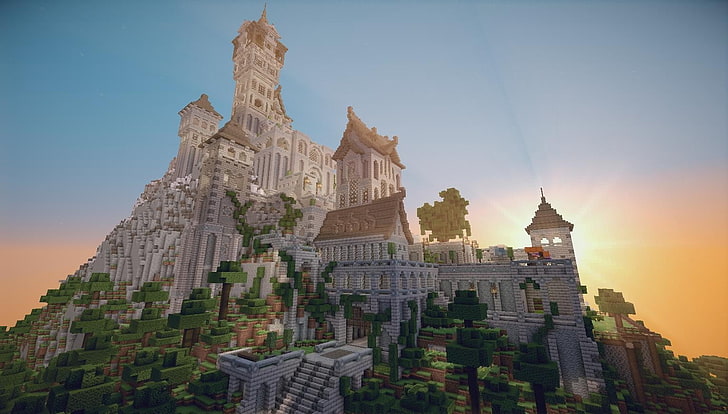
About OptifineOptifine not only improves your fps, but it lets you enjoy the amazing graphics you can achieve in shaders! It also comes with the off-hand torch mod so you can explore those new lush caves without having to place a torch!
Available Add-ons
There are loads of different shaders for minecraft! Click here to be redirected to a list of the best shaders!
Walkthrough
Installing Optifine
What you will need:
Minecraft java edition,
Internet (of Course)
Step 1.
Go to https://optifine.net/home, then click on the downloads button. Find the latest version and click download. It will redirect you to another website but just wait for 6 seconds and click on skip in the top right corner. After that, it will bring you to optifine download and just download it. A message may pop up and say that the file could hurt your computer but just select keep.
Step 2.
Once it has finished, go into your download files and find optifine. Double click on the .jar file. If it opens, skip to Step 4, if not go to step 3.
Step 3. Go to "https://www.java.com/en/download/manual.jsp" and find your os version and download the offline 64 bit one. Let that download then run it. Let it install. Then open the .jar file.
Step 4.
Press the next button to install. If you have minecraft open when it is installing, just close it completely, even the launcher.
Step 5. Boot the minecraft launcher and search in the minecraft versions for the one called "optifine 1.xx.x depending on version of minecraft at the time. Select it and run it. When you get in, you're probably thinking, "this just looks like normal minecraft". To get the shaders, you need to install them. The button below will bring you to a website with the best ones.
🛑 If some of the pages install an .exe file, CANCEL IT! It could be a virus! If it Downloaded, just right-click on the file and delete it. then go to the recycle bin and empty it.🛑
Downloading and activating the Shaders
Find your most liked shaders and search the name of it then download at the end and search. If you cant decide, i recommend Sildur’s Vibrant Shaders (not sponsored). Choose one that your pc could handle then hit download. It should download a .zip file. That is good! On your pc, press the "start" key and "r" at the same time and a window should pop up. Type "%appdata%" into the text bit without the speech marks and hit run. Another window should pop up and it should be files explorer. Navigate to "local" and then minecraft. Copy your .zip file and place it into "shaderpacks". After that, close it and run the minecraft launcher. Go into the optifine version and play it. Once into it, load into a world and when you enter, press "esc" and go to video settings then click on the shaders button. Your shaders should be there! Click it and let it load. Go back to the game and it should be done enjoy!!!
Optifine not only improves your fps, but it lets you enjoy the amazing graphics you can achieve in shaders! It also comes with the off-hand torch mod so you can explore those new lush caves without having to place a torch!
What you will need:
Minecraft java edition,
Internet (of Course)
Step 1.
Go to https://optifine.net/home, then click on the downloads button. Find the latest version and click download. It will redirect you to another website but just wait for 6 seconds and click on skip in the top right corner. After that, it will bring you to optifine download and just download it. A message may pop up and say that the file could hurt your computer but just select keep.
Step 2.
Once it has finished, go into your download files and find optifine. Double click on the .jar file. If it opens, skip to Step 4, if not go to step 3.
Step 3. Go to "https://www.java.com/en/download/manual.jsp" and find your os version and download the offline 64 bit one. Let that download then run it. Let it install. Then open the .jar file.
Step 4.
Press the next button to install. If you have minecraft open when it is installing, just close it completely, even the launcher.
Step 5. Boot the minecraft launcher and search in the minecraft versions for the one called "optifine 1.xx.x depending on version of minecraft at the time. Select it and run it. When you get in, you're probably thinking, "this just looks like normal minecraft". To get the shaders, you need to install them. The button below will bring you to a website with the best ones.
🛑 If some of the pages install an .exe file, CANCEL IT! It could be a virus! If it Downloaded, just right-click on the file and delete it. then go to the recycle bin and empty it.🛑
Downloading and activating the Shaders
Comments
Post a Comment